Can I send a customer a survey invitation now? Request Now!
As a matter of practice, LoyaltyLoop automates and manages the process of requesting feedback from your customers and clients. However, from time to time the need may arise when you wish to manually send a request to a single contact. The new Request Now feature will allow you to do just that.
The Request Now feature is available to most, but not all, LoyaltyLoop Basic and Promoter plan subscribers. If your survey uses any advanced configurations where survey questions and/or choices change based on your input data (aka survey “pre-populated” data), this feature is not available.
When sending a new survey to a single contact via the Request Now feature, the system follows the same flow and behavior as any LoyaltyLoop-managed launch, with one important exception noted below.
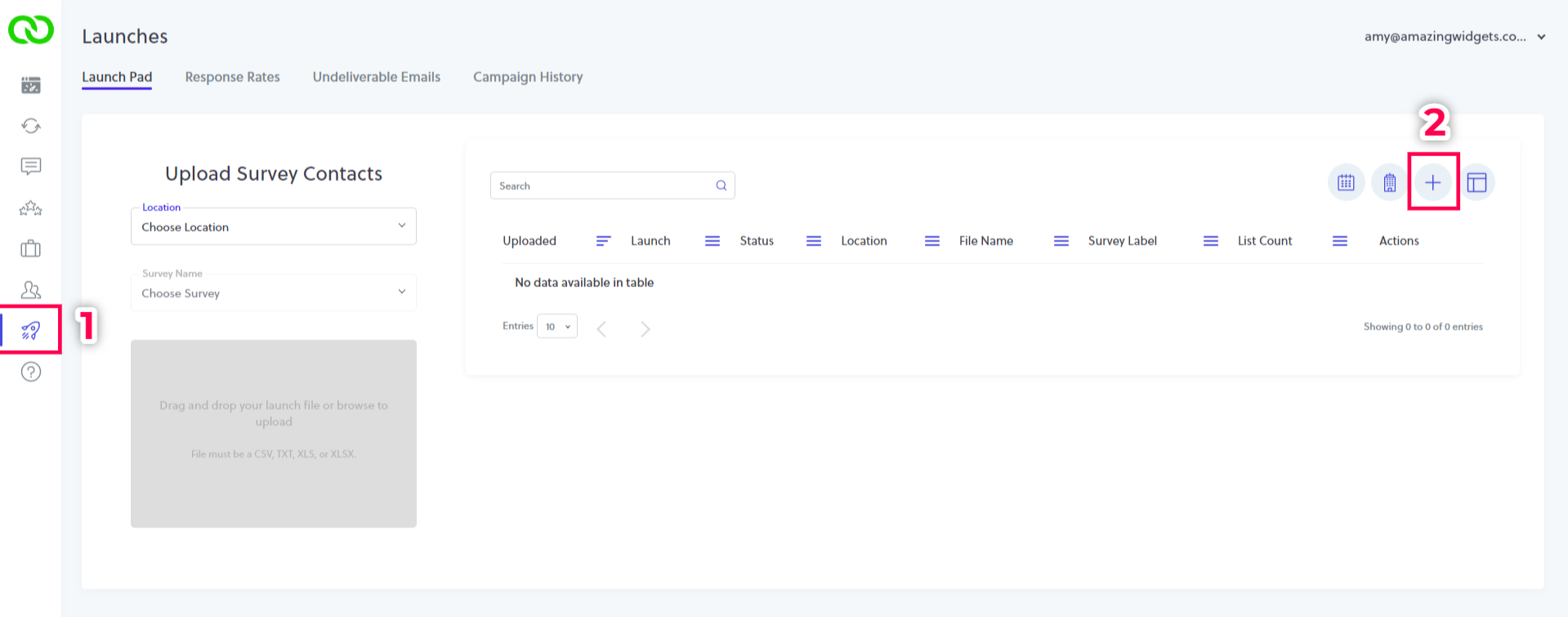
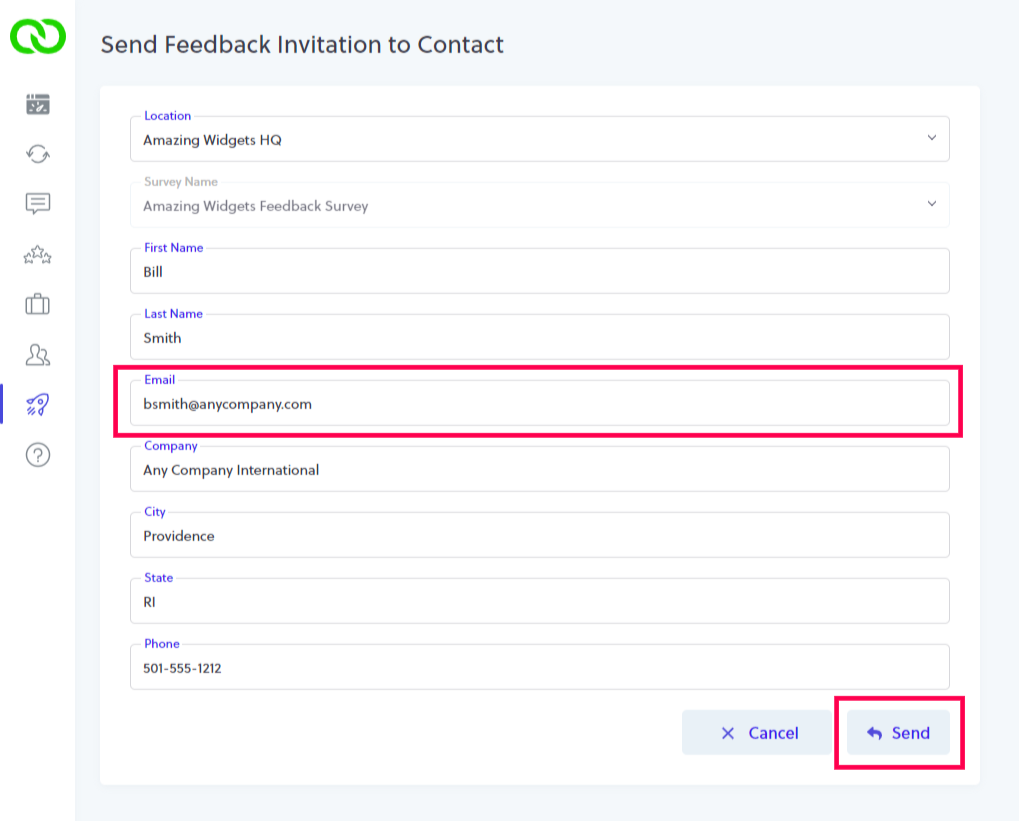
To send a new survey to a single contact, click Launches from the left main menu to land on your Launch Pad. Click the plus (+) button on the top toolbar of your Launch Pad, and you’ll land on the Request Now input form. Enter the form values for the customer to be surveyed, ensuring you enter the contact’s correct email address (required), then hit the Send button.
LoyaltyLoop will initiate the feedback loop for that specific customer immediately, by sending them your Survey Invitation Email. All follow-on emails, reminders and Thank You pages will be employed if and when appropriate, just like any other LoyaltyLoop-managed launch.
 TIP: The Request Now feature sends a new survey when you click the Send button. If your invitation email uses a time-specific greeting (e.g. "Good Morning,"), consider changing it to be more generic (e.g. "Hello,").
 IMPORTANT NOTE:
All survey launch rules are ignored when using the Request Now feature. For example, if your survey launch rules include a Touch Frequency Filter to skip contacts who had been sent a survey request in the prior 30 days, the Request Now feature bypasses this rule and sends that inputted contact your survey. That being said, contacts engaged by the Request Now feature will be respected when evaluating contacts for future LoyaltyLoop-managed survey launches.