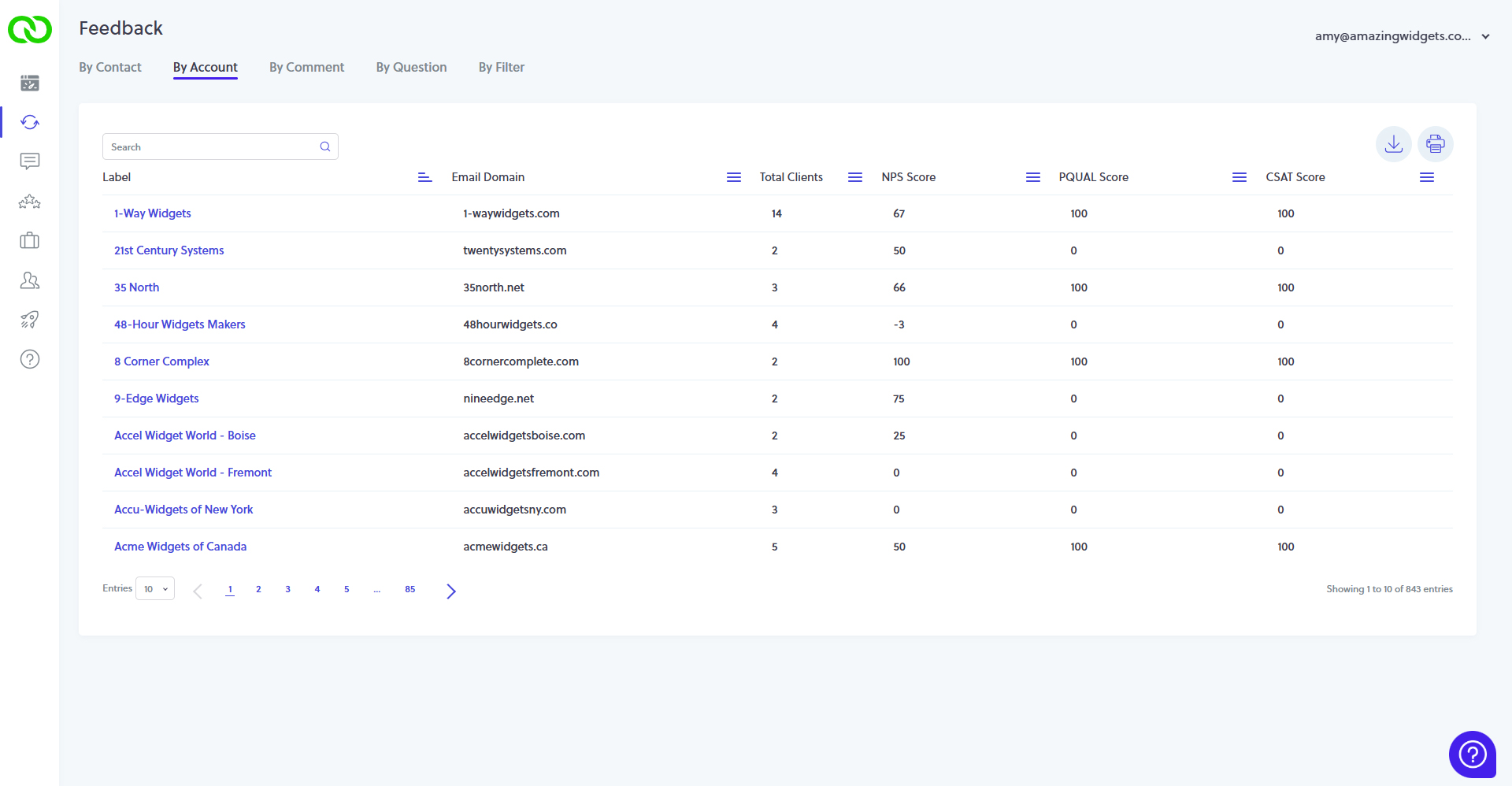
View feedback and CX metrics grouped by Account
Available in LoyaltyLoop Premier plan, view NPS and other CX metrics by group. By default, LoyaltyLoop automatically groups contacts by their email domain. This is particularly helpful when servicing large organizations with multiple buyers or contacts. Understand how your company is performing across the Account. Click on the Account to view all the feedback from contacts.
Related Articles
Customizing Account Management in LoyaltyLoop Premier
The Account Roll-Up feature automatically groups your contacts into logical business accounts, providing you with deeper, more strategic reporting and the ability to detect dormant customers at the organizational level. While our default setting uses ...
Reorganize Accounts by Launch Data Tag
This feature is available exclusively to LoyaltyLoop Premier plan users. By default, LoyaltyLoop automatically organizes your customer contacts into Accounts based on their email domain. Premier users now have the flexibility to edit this rule and ...
Annual Admin Checklist for Optimizing Your LoyaltyLoop Account
By following this checklist each year, you can ensure that your LoyaltyLoop account is primed for continued success. If you have any questions or need assistance, don’t hesitate to reach out to our support team at (888) 552-5667 or ...
How to view feedback by customer
The Feedback by Customer page provides each customer's survey response data. This page is broken into three sections: the Summary Widgets, the Response Table, and the Detailed Response View. First select the Feedback Icon on the left main menu. You ...
How to view feedback by question
The Feedback By Question section provides feedback data on each question in your survey. This page has two sections. Summary widgets of stats along the top, and a chart for each question. Each question (chart) displays a summary table of overall ...