View Launch History by Contact

View Launch History by Contact

Have you ever wanted to see all the instances when a specific contact was sent your survey? Now you can, right from your Customer view.

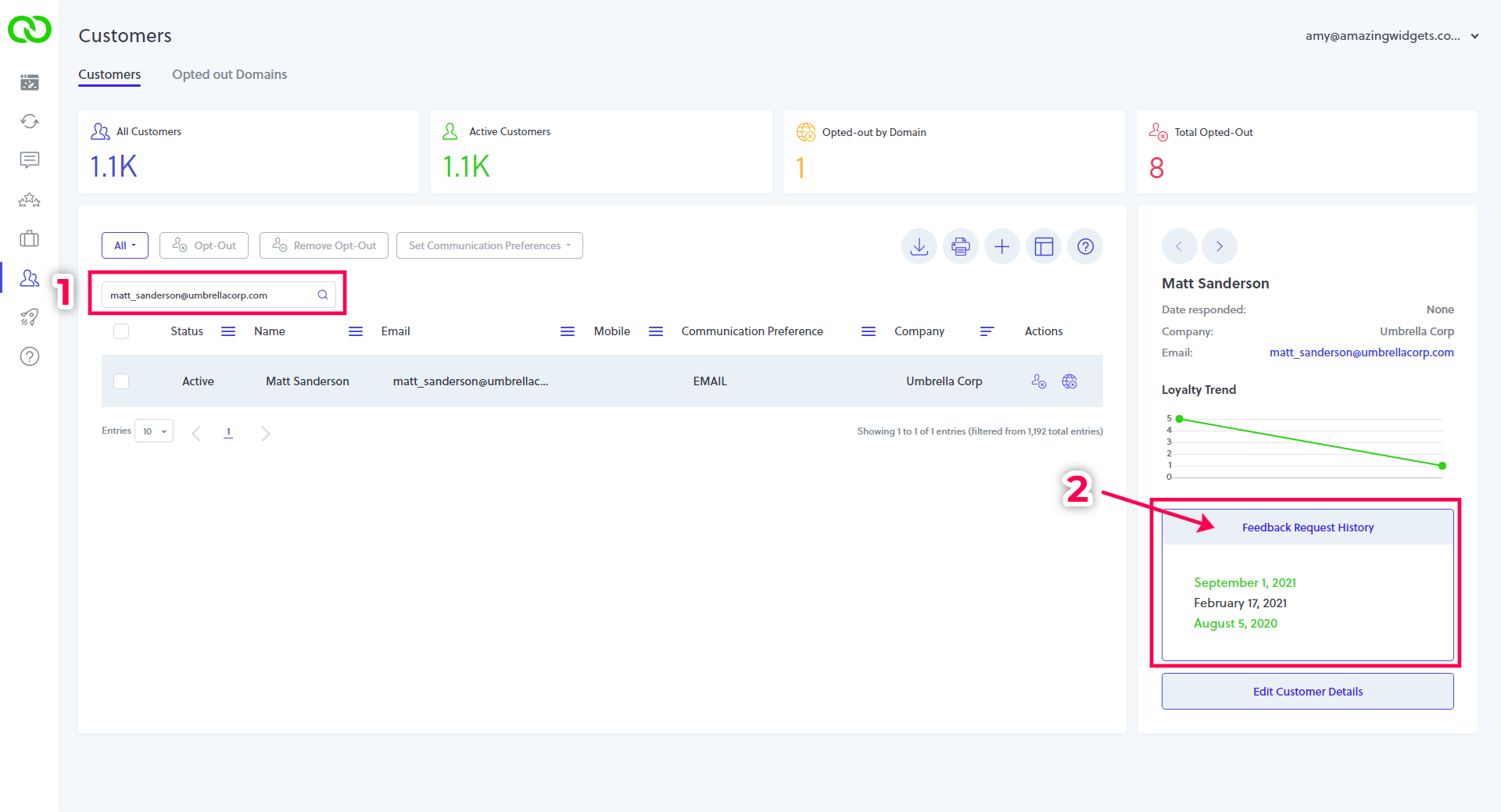
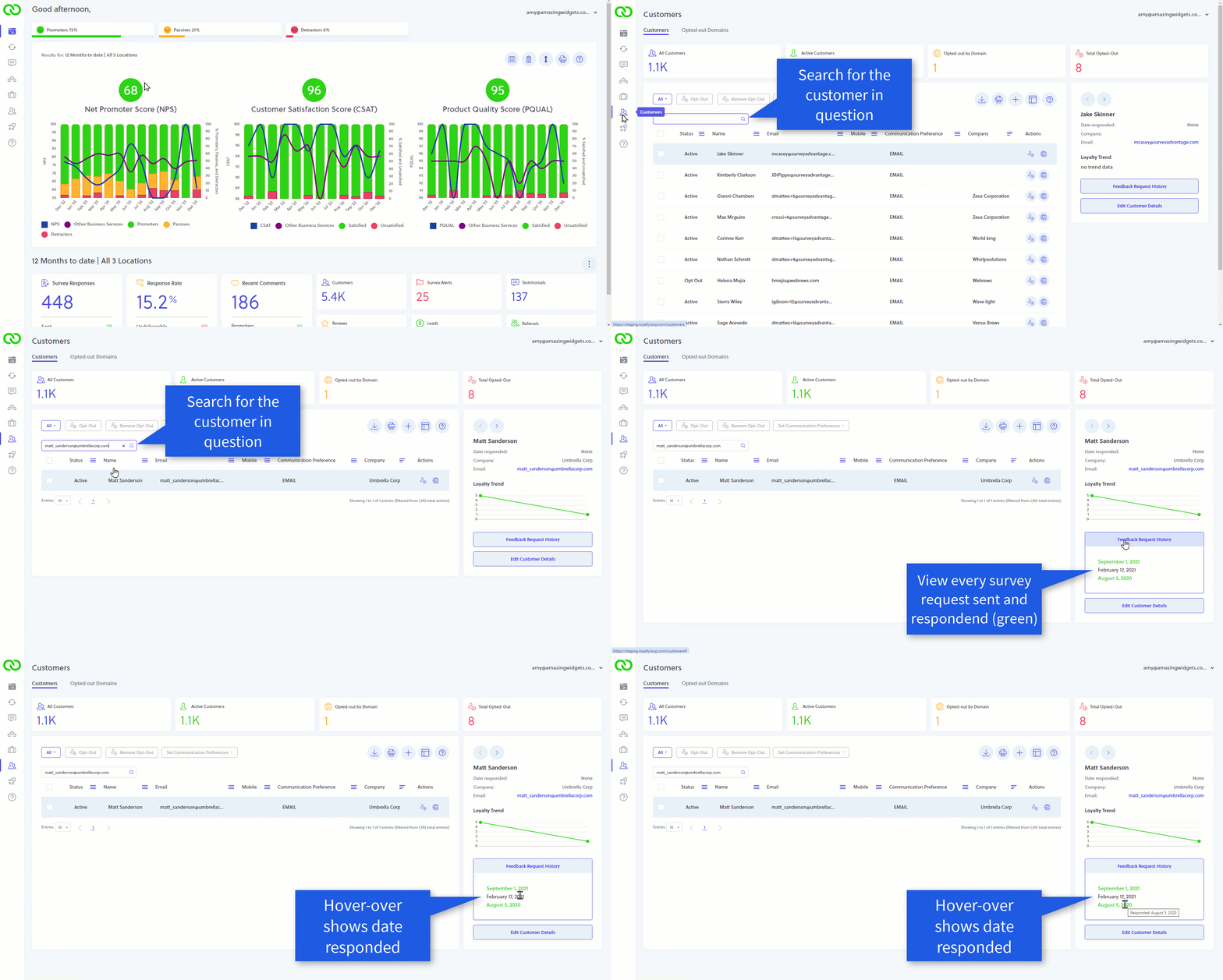
Click your Customers from the left main menu, then (1) search for the customer in question. Then, (2) click the "Feedback Request History" button to expose a panel showing every time they were sent your survey.

NotesNOTE: Hovering-over each date will show you when the customer responded to that survey request too.
loyaltyloop launch history by contact


loyaltyloop launch history by contact
    • Related Articles

    • How do I upload launch files to LoyaltyLoop?

      To upload your launch file(s), go to Launches from the left main menu.  This will land you on the Launch Pad.  Then select, (1) the location, and (2) the survey you wish to send. Then, (3) drag & drop the file(s) associated with this specific ...
    • LoyaltyLoop Business Rules Explained

      One of the unique qualities of LoyaltyLoop is the option to set “Business Rules” that tune your customer surveys to your specific business, ensuring the correct customers are engaged for feedback at the right time. Once configured, these rules become ...
    • LoyaltyLoop Survey Launch Schedule

      To ensure high response rates, LoyaltyLoop surveys launch Monday through Friday, excluding US Federal and company holidays, as per below: 2025 Company-Observed Holidays (Suspended Survey Launches) Day Holiday Wed, Jan 1 New Years Day Mon, Jan 20 ...
    • How to edit survey launch contacts

      As a LoyaltyLoop Premier Plan user, you have two options for launching your dormant survey campaign: automatic launch or manual review. This guide provides step-by-step instructions for reviewing your list of dormant contacts and scheduling your ...
    • What contacts are included in my final survey launch list?

      When we receive your contacts to survey, regardless if you send your data in a sheet or via our API, you do not need to pre-filter the data.  You should simply set a consistent date rate (e.g. last 7 days), and send the raw output data.  LoyaltyLoop ...