How do I enable the Zoho Desk automated reports?
If you use Zoho Desk for support emails and tickets, send an automated report of all contacts from the previous day’s closed tickets to LoyaltyLoop to engage for feedback.
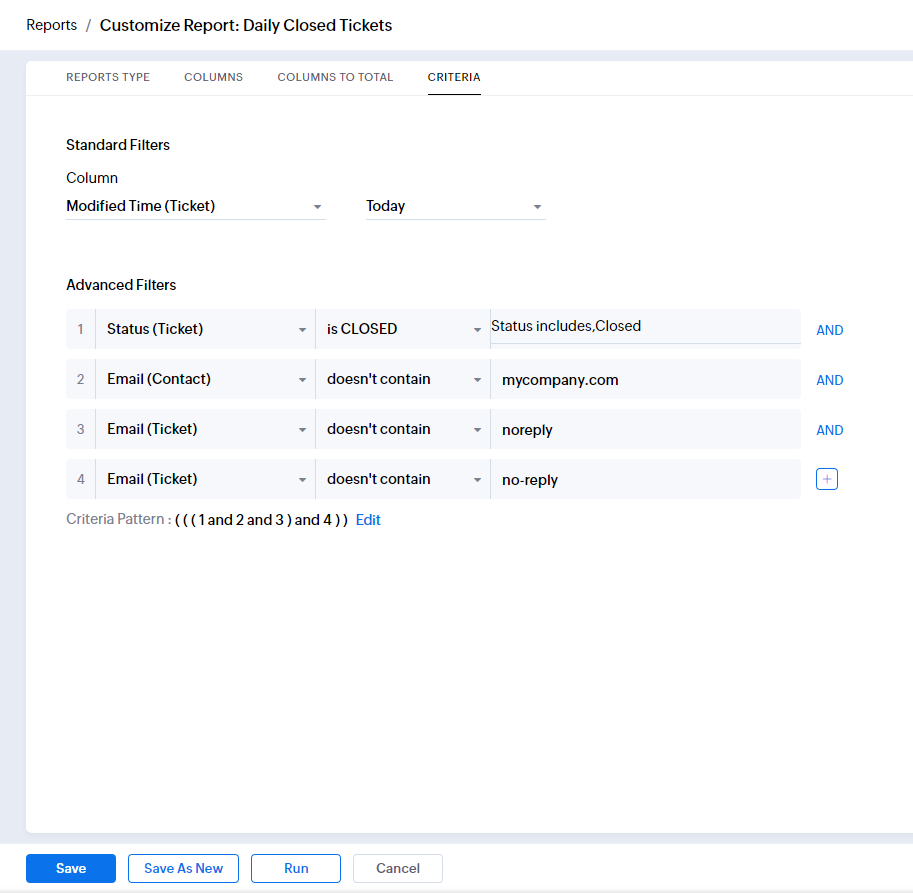
- First, create a tabular report containing the day’s closed ticket contact. Your specific criteria may be different, but isolate “closed” tickets, from all or some of your agents.
- Add any exclusions appropriate for your specific business. For example, if you send internal notices to your Desk, you may wish to exclude your own domain.
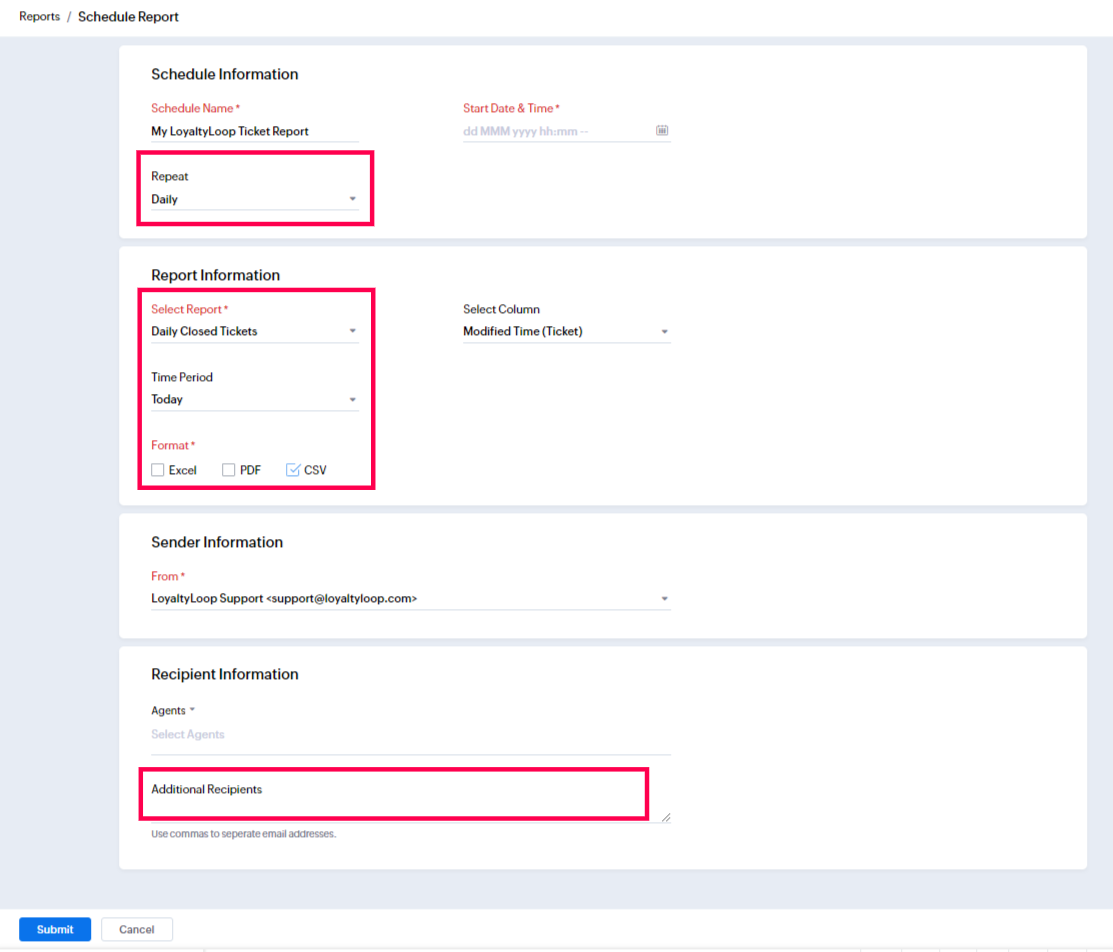
- Next click “Scheduled Reports” from the left menu, then click the Schedule Report button.
- On the form, give your schedule a name, set the time to run (we suggest early morning, like 3am) set the frequency to Daily, pick the report you just created, setting the time period to Today, and CSV format.
- In the Additional Recipients field, paste your LoyaltyLoop Launch File Email Address and save your changes.
- Now, each day at that time, LoyaltyLoop will receive your closed ticket contacts, putting you in position to engage them for feedback and
reviews.