How do I enable the EPMS (ePS) integration?
- Please contact ePS EPMS Support and request they enable the "EPMS-LoyaltyLoop integration" for you.
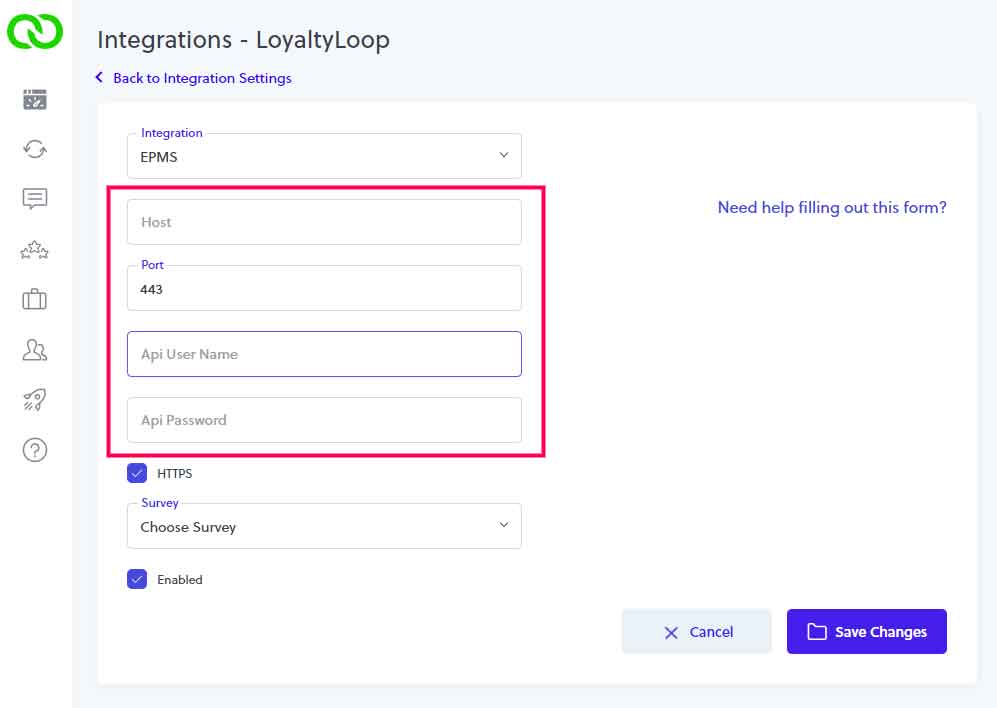
- EPMS Support will provide details you'll need to enter into your LoyaltyLoop account to complete final connection between EPMS and LoyaltyLoop. You will need the Host name of your EPMS software, and your EPMS API Username and password.
- With those details in hand, sign in to LoyaltyLoop with an Admin account, click your username then Settings. In the Admin Settings section, click Integrations, and then select EMPS. Enter the details and click Save Changes.
How does the integration behave?
LoyaltyLoop will only get transaction contact data for EPMS invoices where the ship date (aka pickup date) is set. LoyaltyLoop will pull the last 30-days of transaction data when the integration is first connected. Every day thereafter, LoyaltyLoop will only pull the new transaction data since the last time it connected to EPMS.
Which EPMS fields are included in the integration?
The integration includes the most common fields related to a EPMS Invoice record. If you do not see a field that you require, please let
us know and we'll be happy to look into adding it. Please email our support team (support@loyaltyloop.com) with the name of the field(s) needed.
|
|
|
Can I impose a standard delay when sending my survey?
Yes. To ensure your customer has had the appropriate amount of time to experience your product or service, you can impose a delay on sending your survey. As stated below, we will set a 3-day delay on the default launch configuration. If you prefer something else, please contact our support team at support@loyaltyloop.com, or 888-552-5667 option 3. Here's a blog post explaining imposed launch delays.
How do I change my survey send (launch) frequency?
With the integration enabled, your data flows to LoyaltyLoop as you close transactions. You are now in position to have your surveys sent soon after the customer experiences your business.
By default, and unless you specify otherwise, upon activation of the integration LoyaltyLoop will reconfigure your survey launch configuration as follows:
- Weekly Launch Frequency
- Default Launching Day on Tuesday
- Imposed 3-day delay
If you'd like a different launch configuration, please contact our support team at support@loyaltyloop.com or 888-552-5667 option 3.
Your existing Touch Frequency Filter (TFF) will be maintained. For example, our default TFF is 90-days, meaning customers (based on email address) who have been asked to give you feedback within the prior 90-days (or as per your specific setting), will be removed from your launch. This prevents "over-touching" the same person too often.